
 Windows x86_64
 Android ARM64
✦ Video Demo
Pangrango in Action
Quick tutorial on using Pangrango Serial Terminal.
Features
Everything you need in one portable binary
Dual Pane
Two independent serial terminals side by side, each with its own port, config, and WebSocket connection.
Data Bridge
Forward data between panes with direction control (L→R, R→L, Both), regex extraction, and digits-only mode — synced across all clients.
Sequence Sender
Auto-generate and send data at configurable intervals using template variables:
{counter}, {random:N}, {hex:N}, {time}, {date}.Session Persistence
Serial sessions survive browser refresh. Reconnect and pick up data flow immediately — no lost context.
Multi-Client Sync
Open on multiple LAN PCs simultaneously. All clients see the same active sessions and bridge state in real-time.
XMODEM Transfer
Send and receive files using the XMODEM-CRC protocol with a per-block progress bar.
File Logging
Log all RX data to a file with start/stop control per pane. Never miss a byte.
Memory Buttons
6 programmable quick-send slots (M1–M6) per pane. Set via Memory Settings modal, persisted to localStorage. Click to send.
Per-Pane MQTT
Each pane has its own MQTT server, RX/TX topics, QoS, and Active toggle. Passwords encrypted with AES-256-GCM in SQLite.
Multiple Formats
ASCII, HEX, Binary, and Octal views — togglable per pane. Plus raw hex dump view.
On-the-fly Config
Change baud rate, data bits, parity, stop bits, and flow control without disconnecting.
RTS/DTR Control
Toggle RTS and DTR signals per pane with a visual state indicator.
Single-Line Mode
Condense terminal to one large-font line (39px) for focused monitoring.
Dark & Light Themes
Toggle with one click, persisted to localStorage. Comfortable for day and night use.
Fullscreen Mode
Uses the Fullscreen API for immersive, distraction-free terminal viewing.
Resizable Panes
Drag the center divider to adjust pane widths from 20% to 80%.
Auto-Scroll
Automatically follows new incoming data. Toggle on/off as needed.
PIN Protection
Optional PIN gate on server startup for secure network sharing.
Bilingual (EN / ID)
Switch between English and Indonesian with the flag button. Persisted to localStorage.
PWA Support
Installable as Progressive Web App with manifest, icons, and standalone display.
Startup Banner
Colored ASCII art with ANSI colors on server launch.
Custom Tooltips
JS-positioned tooltip div — no CSS overflow clipping. Positioned below by default, above for RTS/DTR.
Portable Binary
Single executable — all static files served from the
static/ folder alongside the binary. No installation.Android APK
Native Android app via WebView + Rust core. Setup page for Port, LAN access, and optional PIN.
USB OTG Serial
Supports CH340, FTDI, PL2303, CP210x, CDC ACM. Auto-detection and USB permission handling.
USB → TCP Proxy
USB serial I/O bridged to local TCP for seamless integration with the Rust backend.
SQLite Persistence
Serial config, MQTT settings (AES-256-GCM encrypted), and global preferences stored in SQLite.
Responsive Layout
Toolbar and pane controls wrap on small screens (≤768px) for mobile usability.
Screenshots
What to expect when you open Pangrango
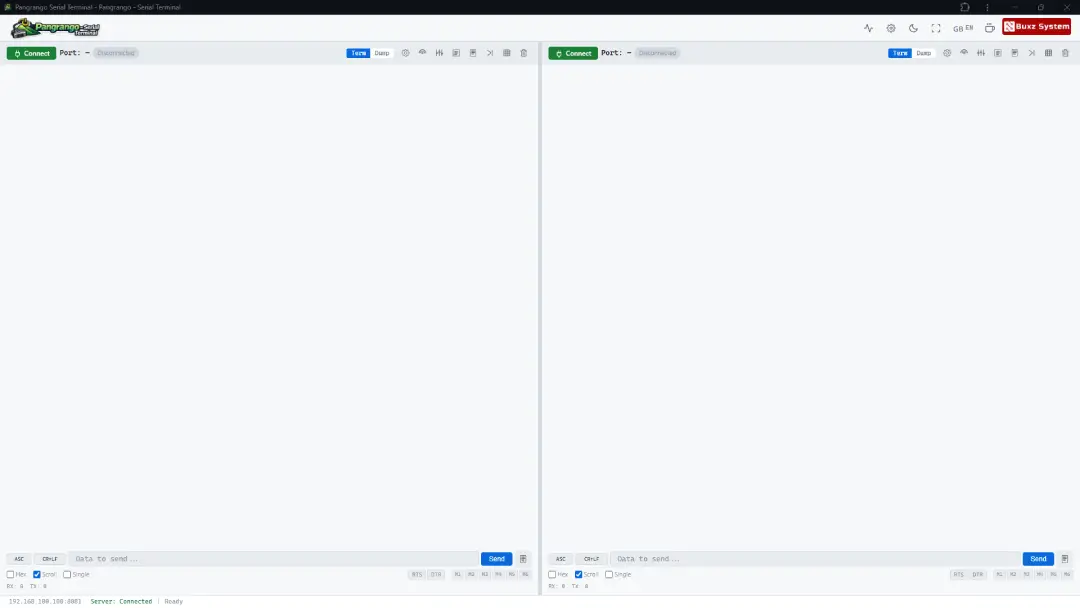
Dual-pane serial terminal
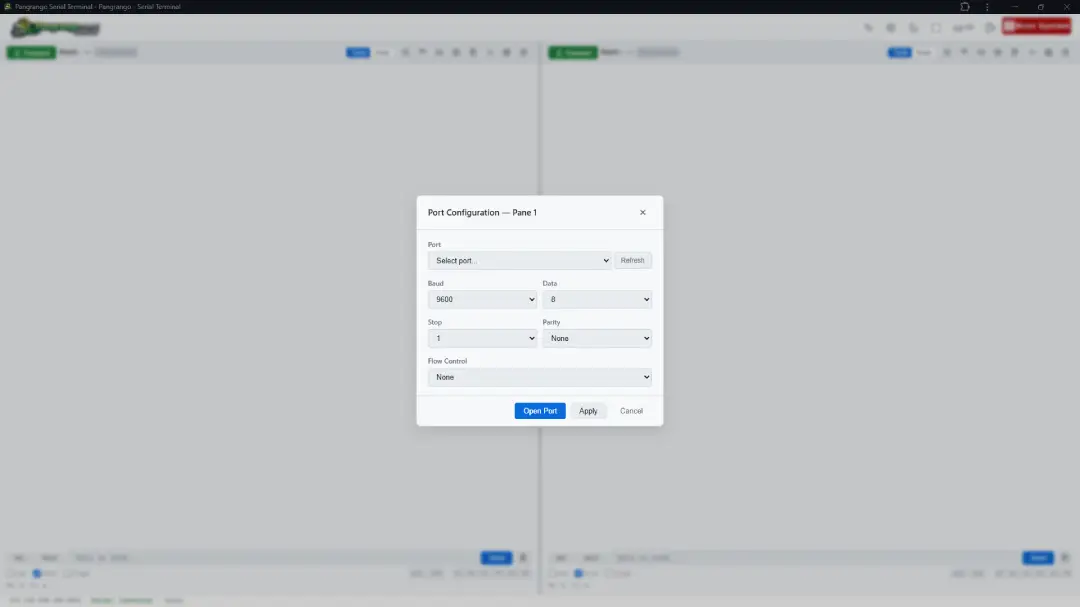
Configuration & memory buttons
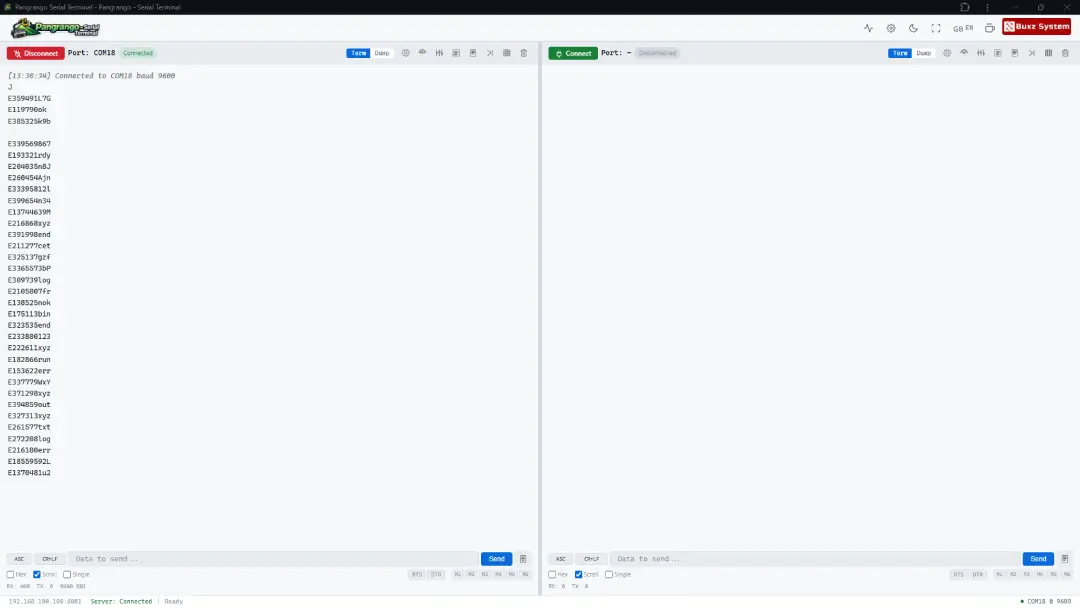
Data Stream
Download
Pre-built binaries from GitHub Actions — always the latest build
 Linux
Linuxx86_64 · musl (fully static)
Requires libudev on glibc builds; static musl build has zero deps
↓ Download binary macOS Intel
x86_64-apple-darwin
Uses IOKit framework — built-in on all modern Macs
↓ Download binaryQuick Start
Up and running in under a minute
STEP 1
Download
Get the binary for your platform from the GitHub Actions page.
STEP 2
Run It
Linux/macOS: chmod +x pangrango && ./pangrango
Windows: double-click or run .exe.
STEP 3
Configure
Choose your port (default 8081), bind address, and optional PIN.
STEP 4
Open Browser
Navigate to http://localhost:8081 and click Connect.
Traktir Kopi
Buy me a Coffee
Laporkan Bug
Report Bug